Keyboard-first navigation
Use a global hotkey and one visible badge key to jump directly to the target application.
 Mustache
macOS command utility
Switch to the right Mac app by pressing the shortcut you can see. Mustache turns your running applications into a predictable keyboard map, with search and window picking when your workspace gets busy.
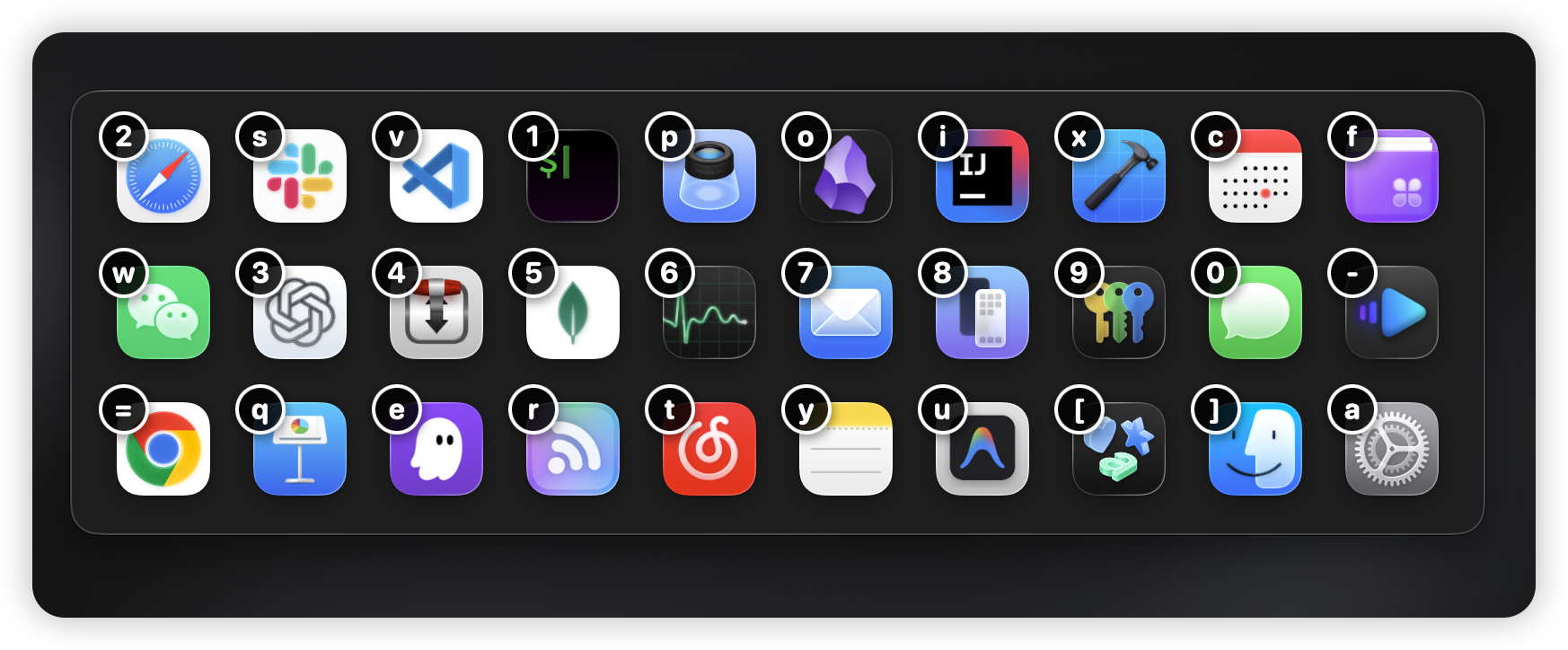
Designed for fast context changes
Cmd+Tab is sequential. Mustache is spatial: every visible app gets a badge, pinned apps keep the shortcuts you expect, and noisy apps can stay out of the switcher.
Features
Use a global hotkey and one visible badge key to jump directly to the target application.
Large app icons and sharp high-contrast badges make the next key obvious at a glance.
Press Space, type a few characters, and press Return to jump to the first matching app.
When the app has multiple visible windows, Mustache gives you a second compact picker for the exact target.
Choose whether to switch between all running applications or restrict it to apps in your Dock.
Pin your most-used apps with custom shortcuts that persist across launches and reboots.
Hide distracting or rarely-used apps from the switcher while keeping pinned apps visible.
Tailor the overlay with dynamic width-based or fixed grid layouts to suit your screen real estate.
Track your app switching patterns and identify your most used shortcuts to optimize your workflow over time.
Snapshots
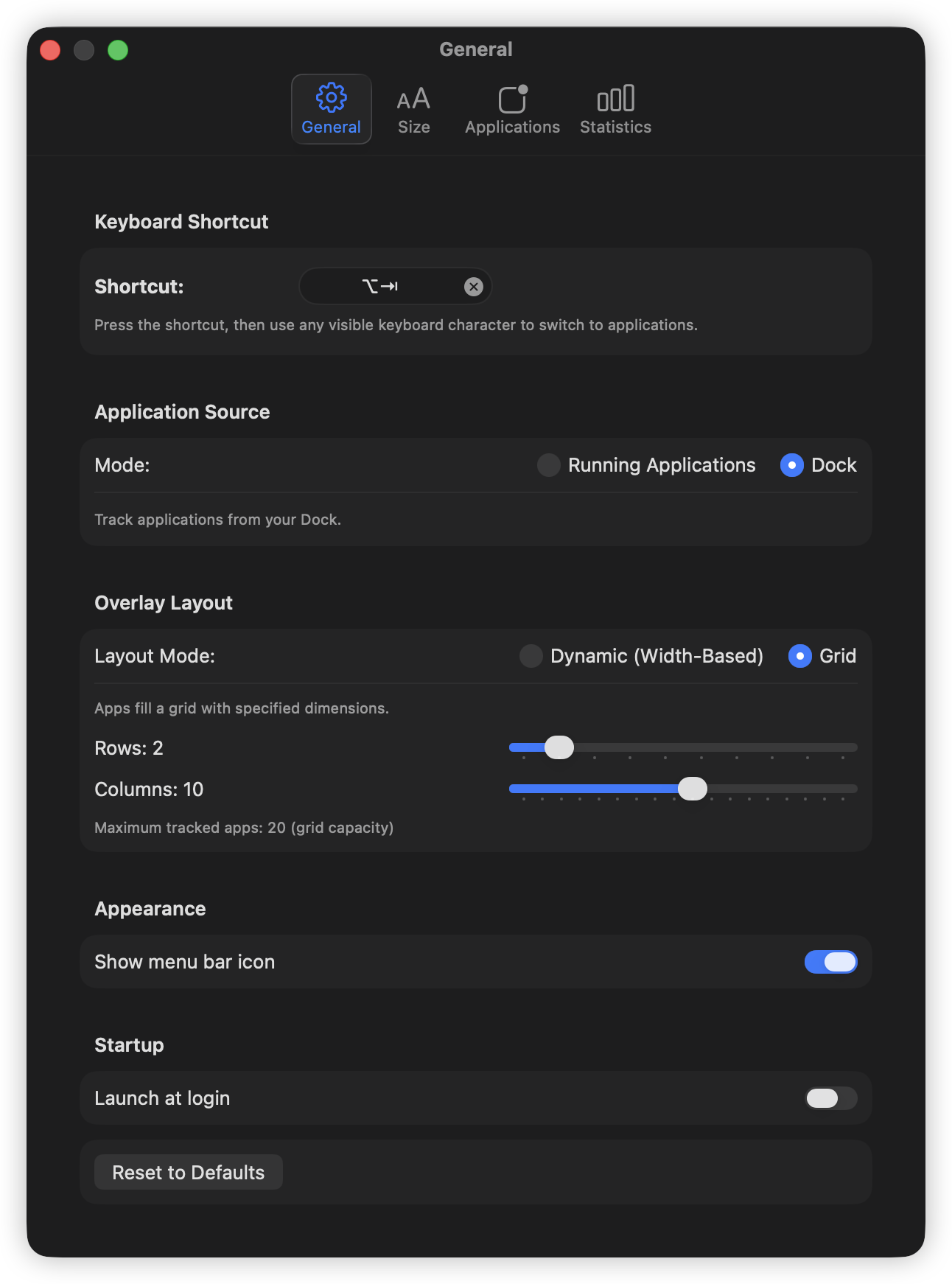
Configure the trigger, menu bar presence, first-letter assignment, and settings backup.
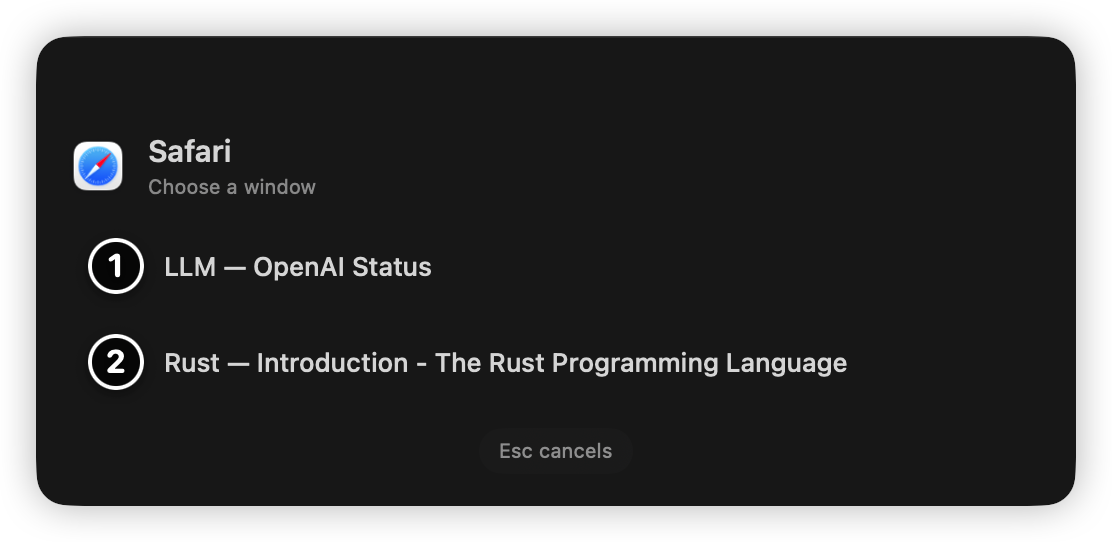
When a selected app has multiple windows, pick the exact target or release the modifier to use the first window.
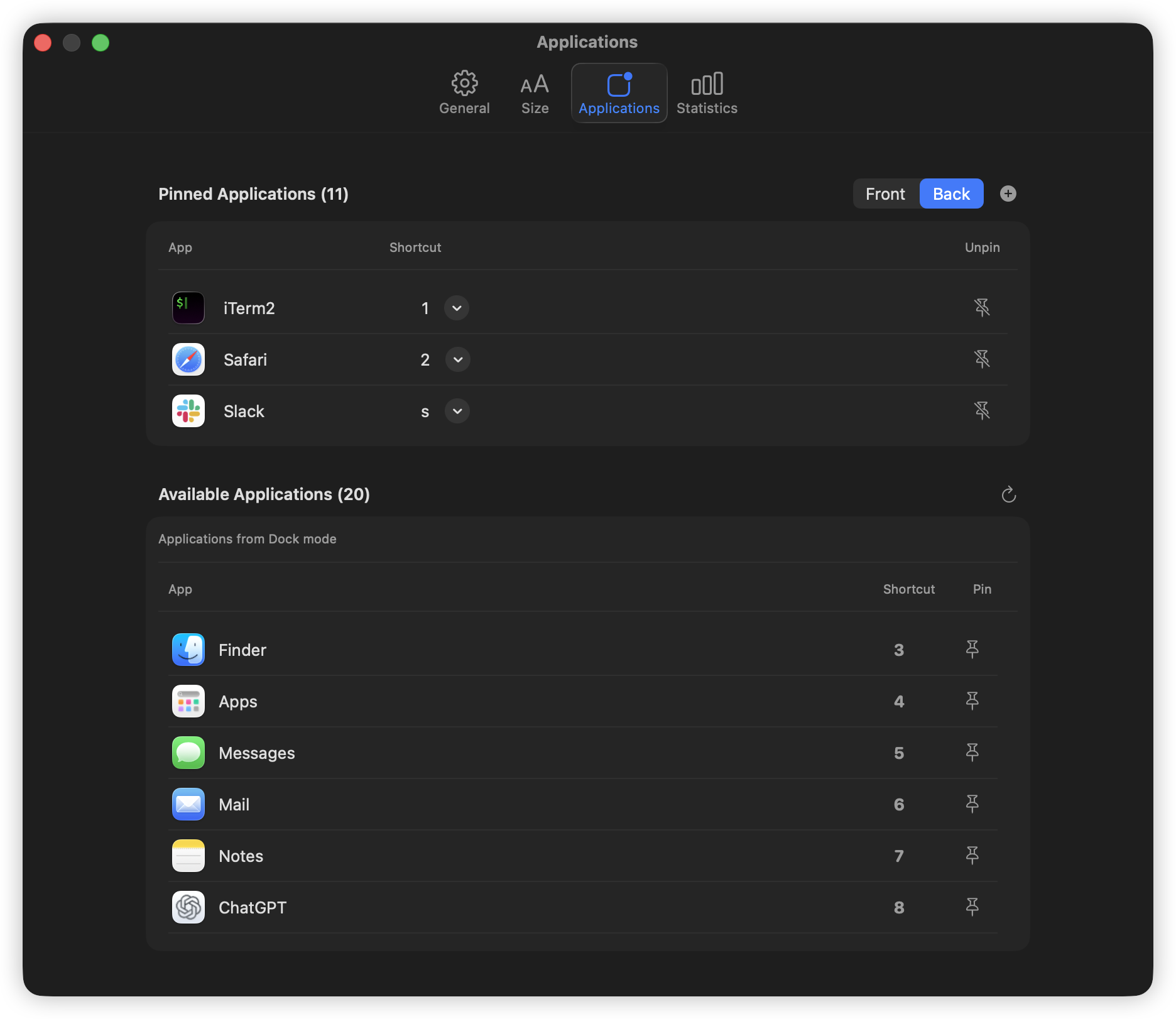
Pin frequently-used applications, assign persistent shortcuts, and exclude noise from the switcher.
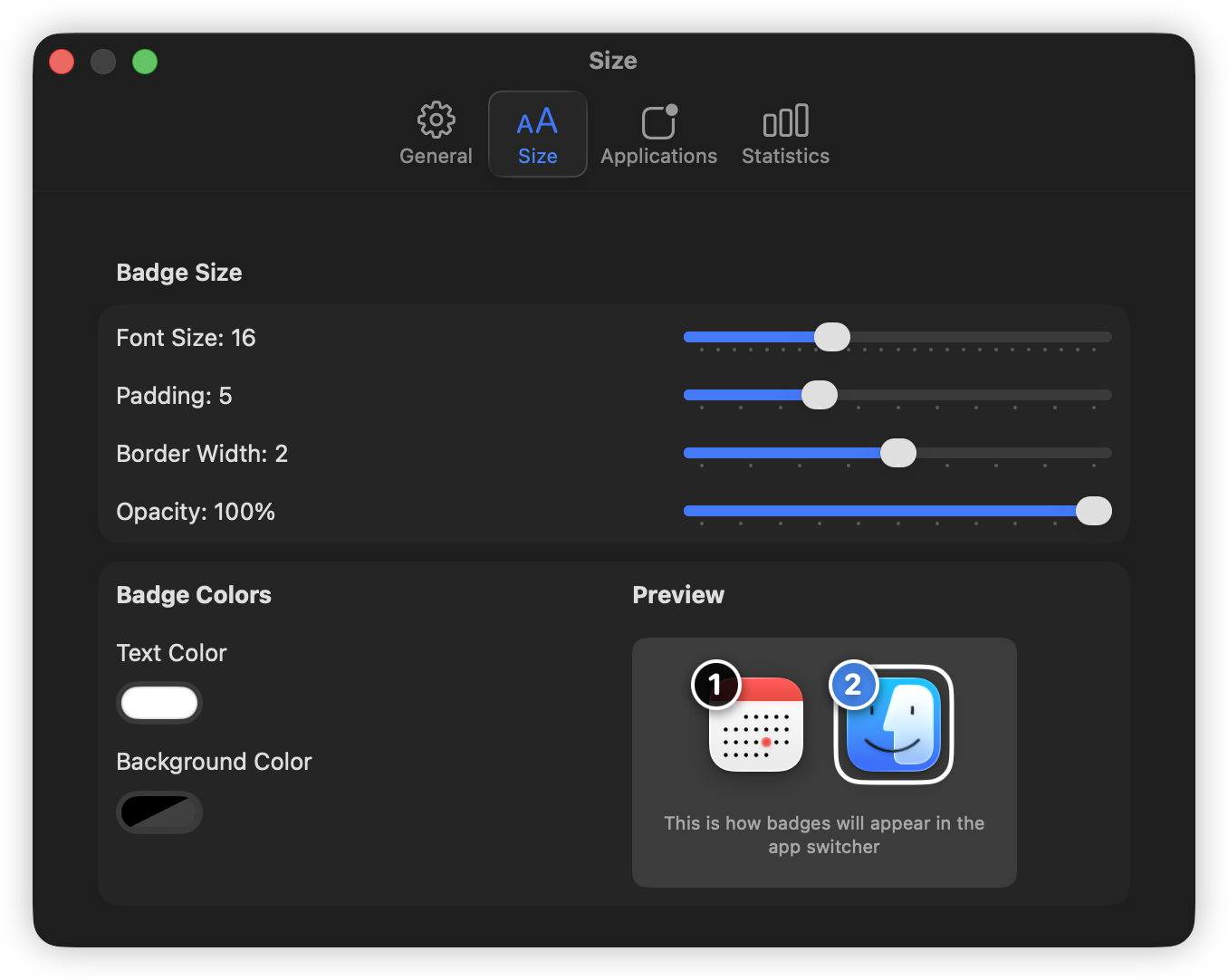
Choose dynamic or fixed grid layouts, and fully customize the badge appearance.
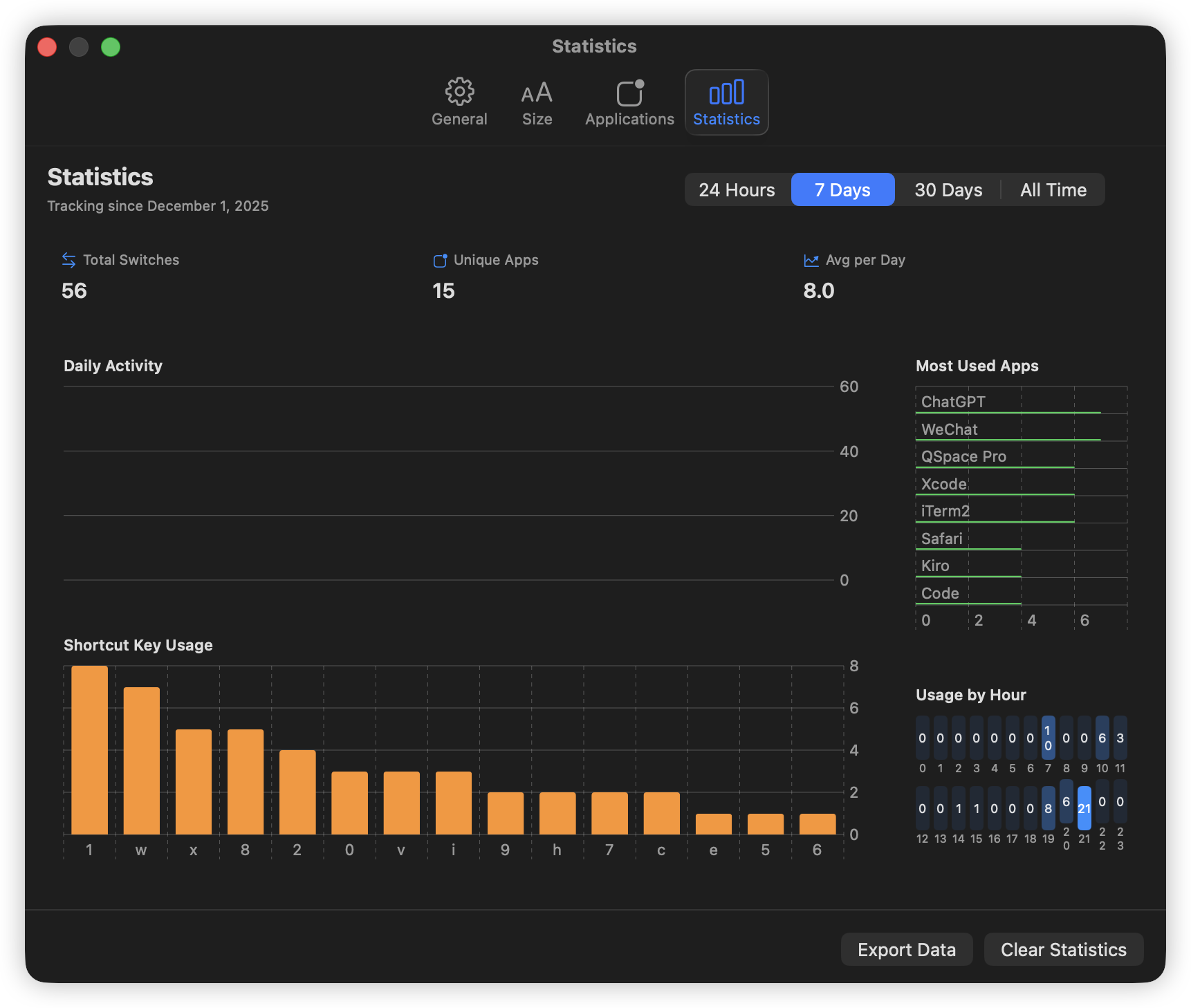
Review your application switching behavior and optimize your workflow.
Workflow
Press your configured hotkey, defaulting to Option + Tab, to show the app switcher overlay.
While holding the modifier key, press the number or letter shown on the app badge.
Press Space and type when you want to filter the overlay instead of scanning the grid.
Pick a window if needed, or release the modifier to accept the first one, then Mustache brings the target forward.
Download and license
Download the notarized app from GitHub Releases, try it for 7 days, then activate it with a one-time license from Dodo Payments.
Payment complete
Your license key should also arrive by email. Download the app, open License settings, and paste the key there.