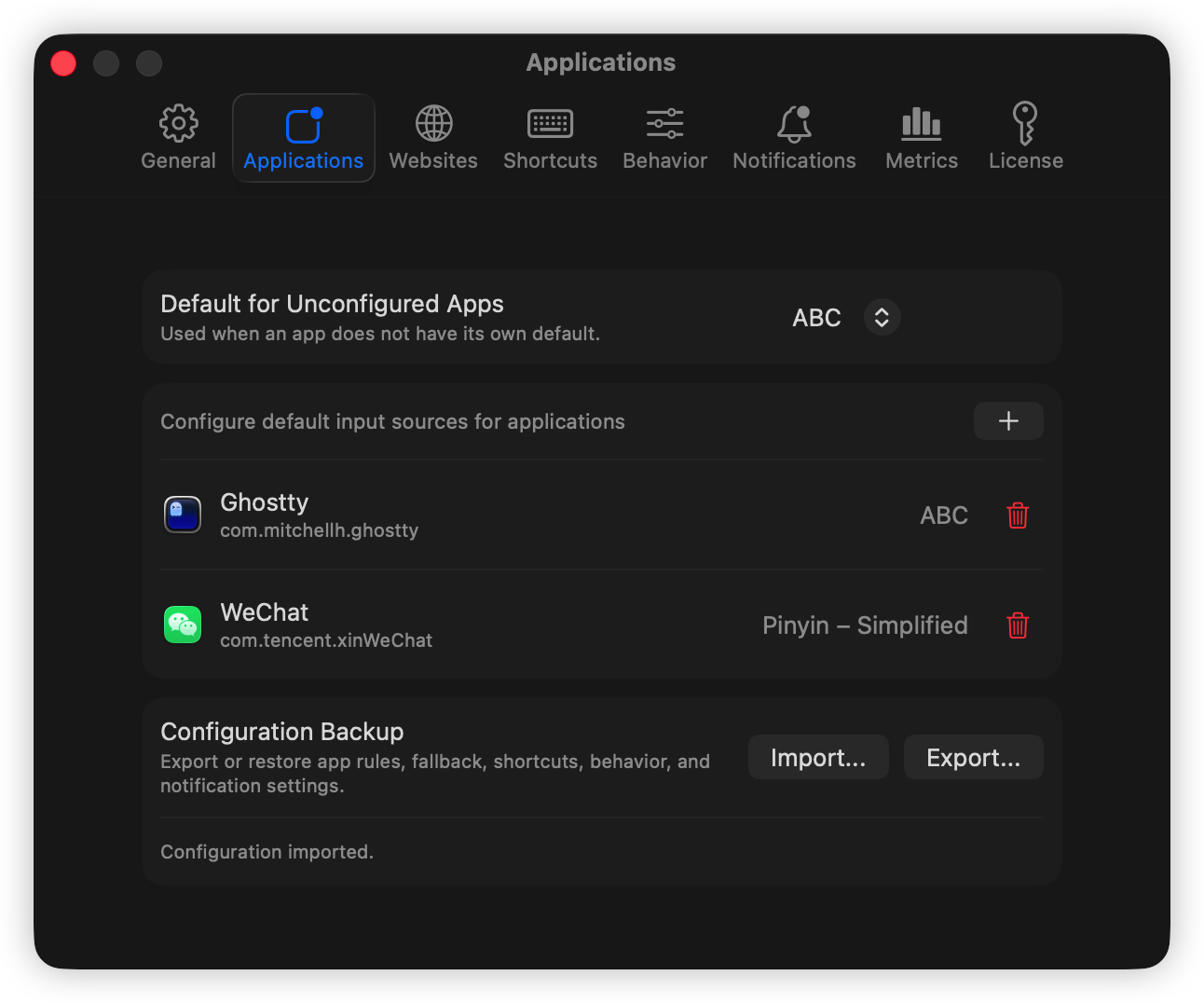
Per-app defaults
Assign a preferred keyboard layout or input method to individual apps, with a global fallback for everything else.
 InputGuru
macOS menu bar utility
Keyboard input sources that follow the app and website you are using, without interrupting the work in front of you.
Built for multilingual Macs
InputGuru keeps Xcode, browsers, terminals, editors, notes, and chat apps on the keyboard input source each one needs. Browsers can go further with website-specific rules, so work sites, docs, chat, and writing tools can each get the input source you expect.
Features
Assign a preferred keyboard layout or input method to individual apps, with a global fallback for everything else.
Match active browser URLs or domains in Safari, Chrome, Edge, Brave, Arc, and Vivaldi, then switch to the right input source for that site.
Switch from the menu bar or a global shortcut and preserve the choice for a configurable timeout.
Typing near the end of an override window can extend it, so active writing is not cut off by automation.
Map the input sources you use most to global shortcuts and choose which ones appear in the menu.
Pause automatic app and website switching from the menu bar or General settings while keeping manual switching available.
Keep the menu short by exposing only selected sources, while still seeing current source and override status.
Export and restore app rules, website rules, fallback source, shortcuts, behavior, notification settings, and retention settings.
Show lightweight change notifications near the cursor or in a screen corner, with duration and padding controls.
Snapshots
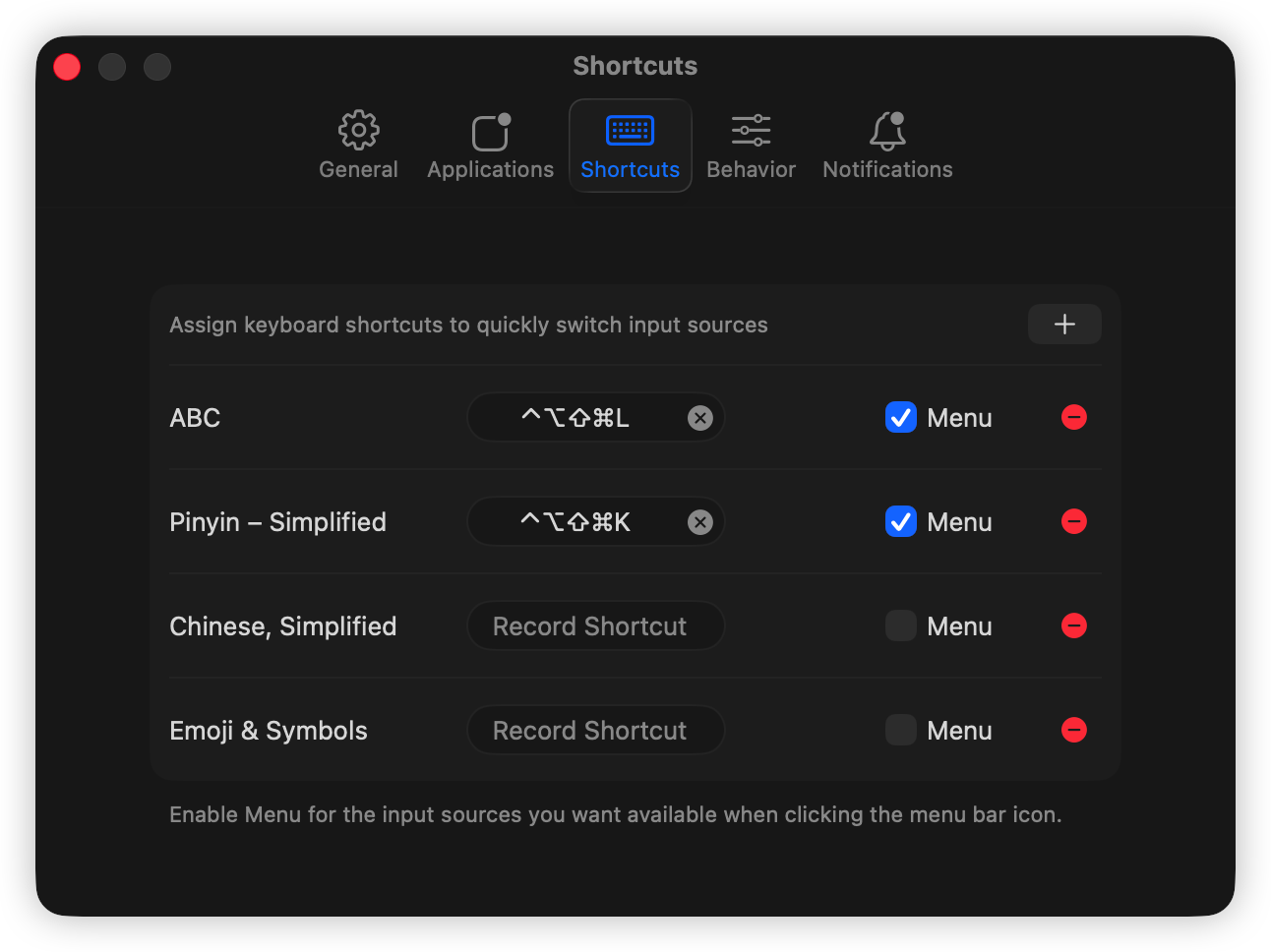
Assign global keys and decide which input sources appear in the menu bar.
Set app-specific defaults, import or export configuration backups, and choose an optional fallback.
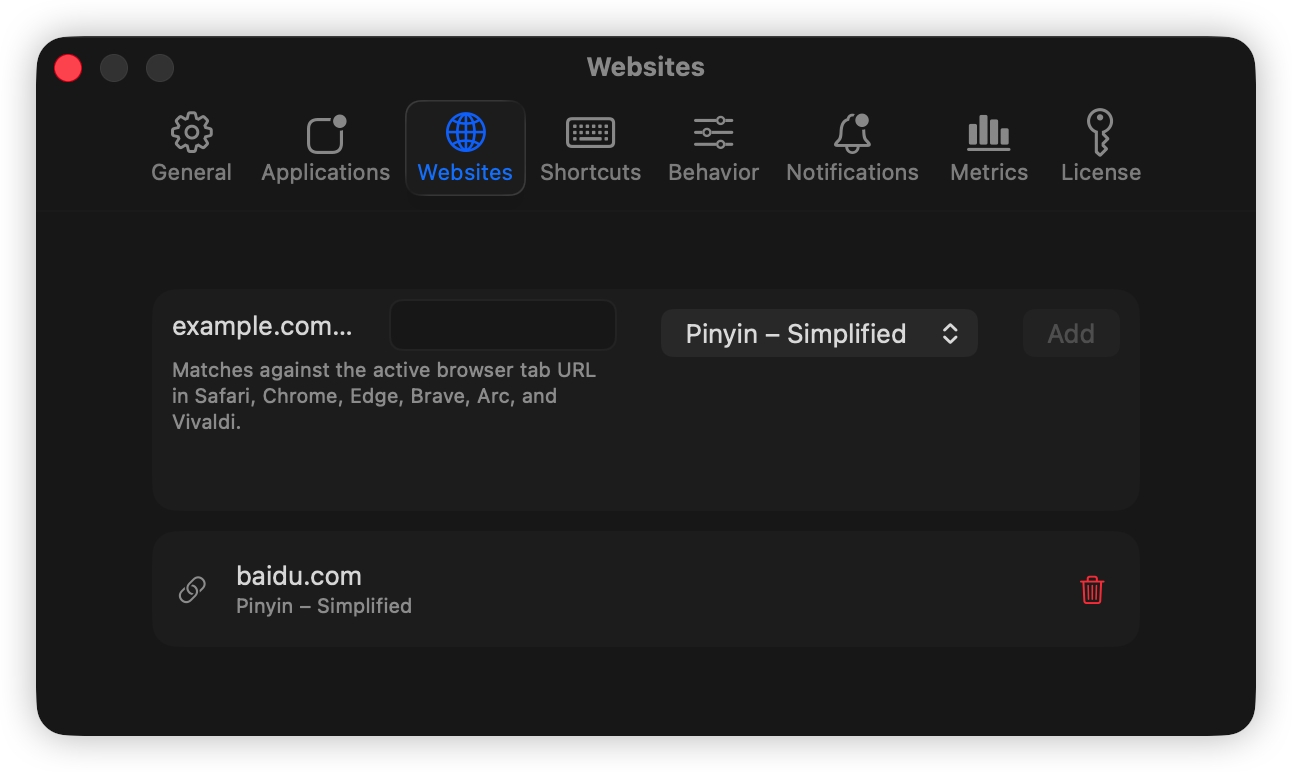
Map URL or domain patterns to input sources for supported browsers.
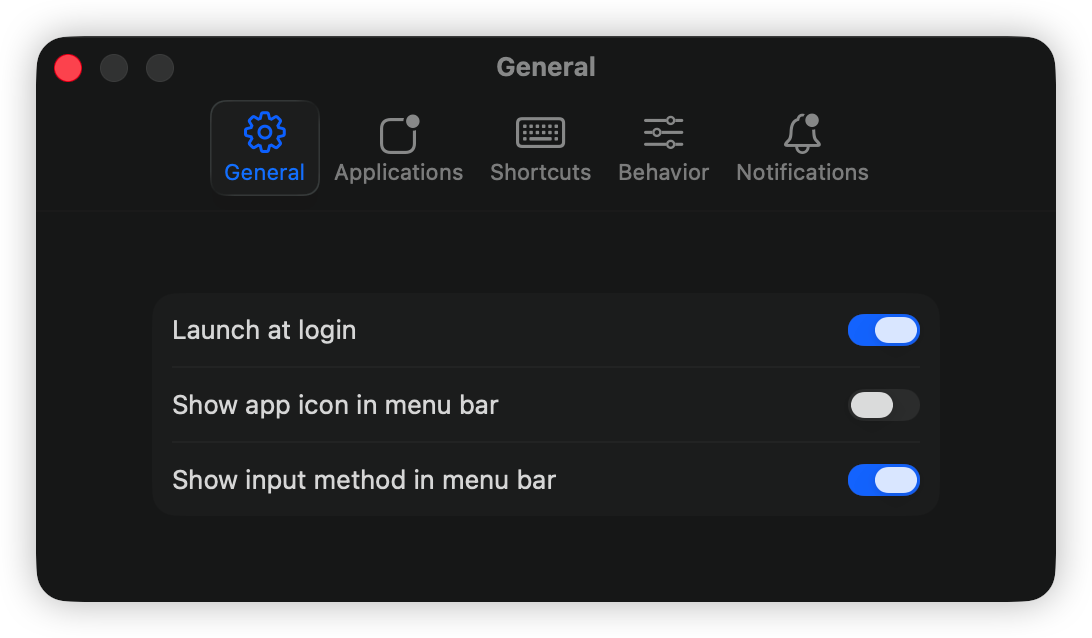
Keep the utility available at login, pause automatic switching, and control menu bar visibility.
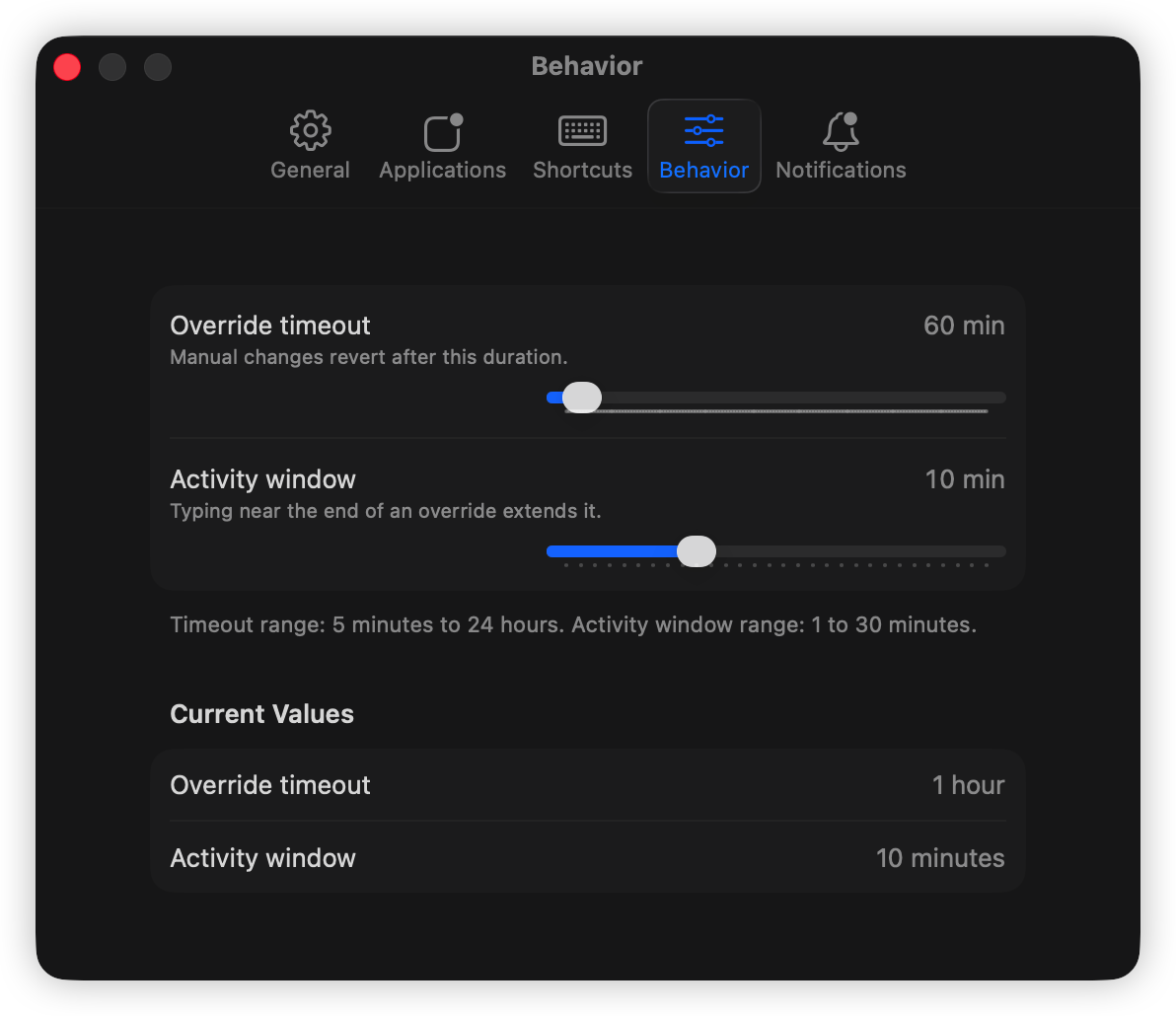
Tune override timeout and the activity window that extends active work.
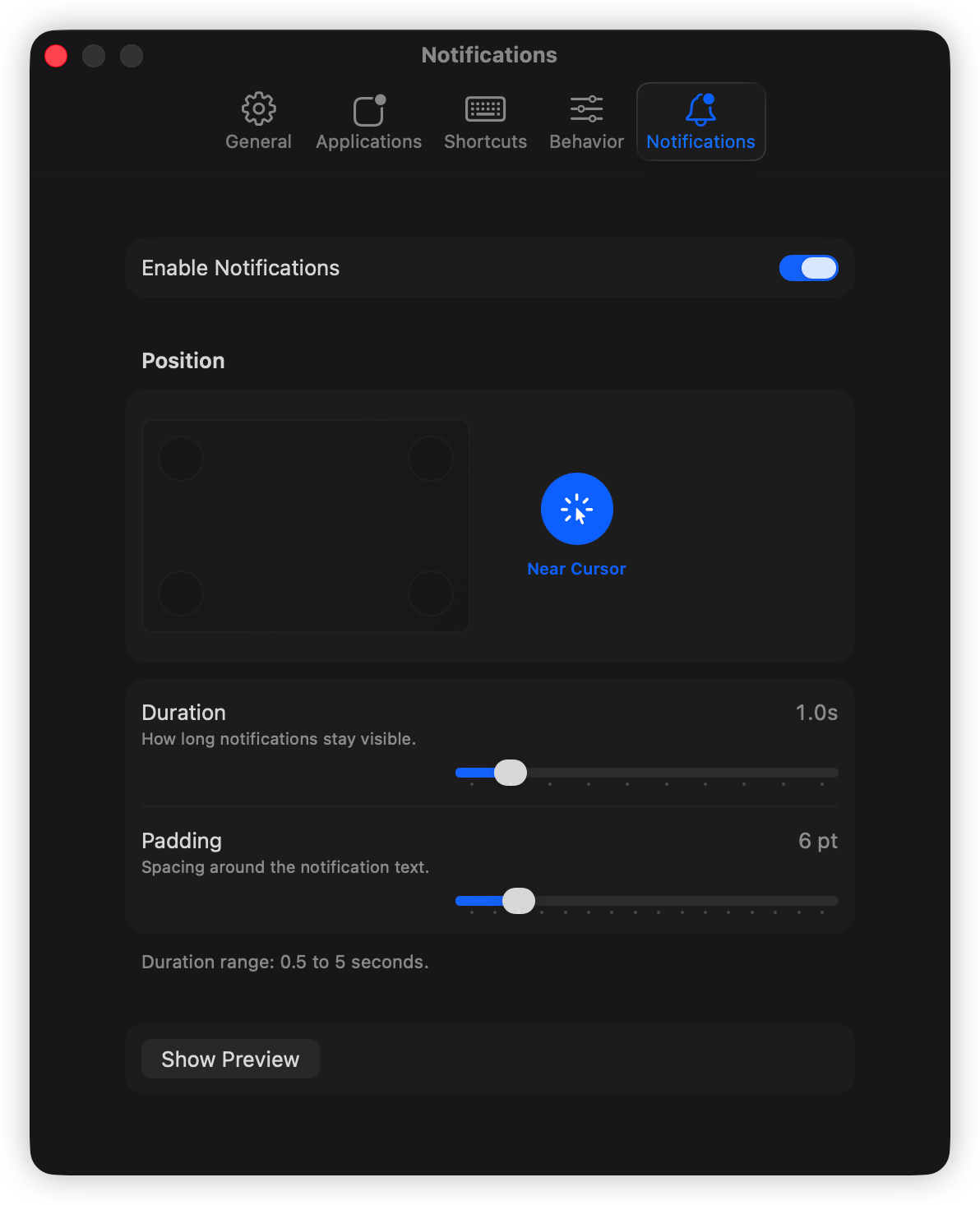
Place lightweight feedback near the cursor or in a screen corner.
Control layer
Set patterns such as github.com, docs.example.com, or a longer URL path. The most specific matching rule wins while a supported browser is active.
Temporarily stop automatic app and website switching when you are presenting, testing, pairing, or doing one-off work in an unusual language context.
Move your configuration between Macs or recover quickly after a clean install with a readable JSON backup.
Workflow
Choose defaults for each app, add website-specific browser rules, and set an optional fallback.
Use a shortcut or the menu bar when your current task needs a different source.
After the override window, InputGuru resumes your rules. Pause automation any time the context is unusual.
Download and license
Download the notarized app from GitHub Releases, try it for 7 days, then activate it with a one-time license from Dodo Payments.
Payment complete
Your license key should also arrive by email. Download the app, open License settings, and paste the key there.